
Manufacturers, engineering firms and product startups all face the same question sooner or later: which 3D design and product data platform should carry the business for the next ten years? The choice affects how fast new products reach the market, how well teams work together and how much time is lost to file conversions and version mix-ups. For many companies the shortlist quickly narrows to the family of tools behind SOLIDWORKS, CATIA and the 3DEXPERIENCE platform.
This article explains what each of these solutions does, which type of business it fits and how to plan a smooth move from older tools to a modern, connected engineering environment.
Table of Contents
Why the Choice of CAD and PLM Matters
Design software is no longer only a drawing tool. Today it holds the digital definition of the product: geometry, materials, tolerances, simulations, manufacturing instructions and the history of every change. When this information lives in separate programs and folders, problems multiply. Engineers redraw parts that already exist, purchasing orders from outdated drawings and production discovers clashes only on the shop floor.
Working with a certified implementation partner such as geo-mentor helps companies avoid these traps. A good partner looks at real processes first, then selects licenses, configures templates and data management, and trains each team so the software supports the way the business actually works.
Signs Your Current Setup Is Holding You Back
- Engineers spend hours searching for the latest version of a part or assembly.
- Design changes are communicated by email and spreadsheets.
- Simulation is done late, by external consultants, or not at all.
- Manufacturing and suppliers receive files in formats that need manual cleanup.
- Managers cannot see project status without asking each engineer.
SOLIDWORKS: Fast, Practical 3D Design
SOLIDWORKS is known for being easy to learn and quick to use. It is a strong fit for machine builders, consumer product companies, tooling shops and engineering offices that need reliable parametric modeling, assemblies and production drawings.
- Part and assembly modeling with clear feature history.
- Automatic 2D drawings that update when the 3D model changes.
- Sheet metal, weldments and mold tools for common manufacturing methods.
- Built-in simulation and data management options as the team grows.
CATIA: Advanced Engineering for Complex Products
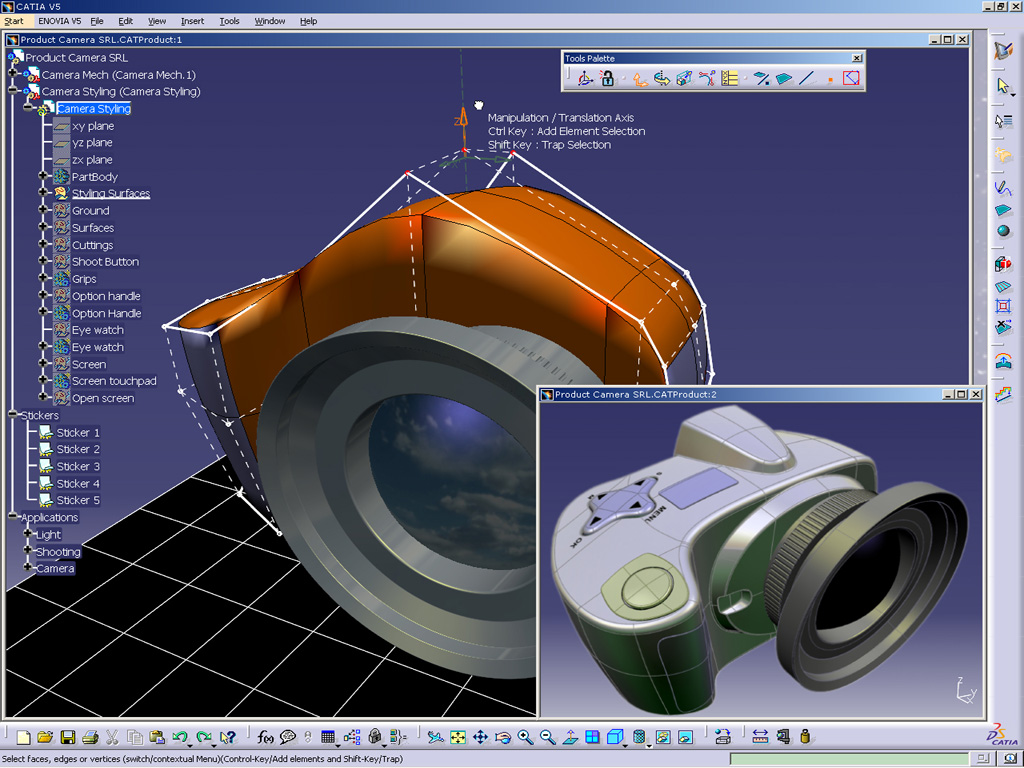
CATIA is used in industries where products are large, complex and highly regulated, such as aerospace, automotive, shipbuilding and industrial equipment. It offers advanced surface modeling, systems engineering and tools for very large assemblies.
- Class-A surfacing for styling and aerodynamic shapes.
- Composites and electrical harness design for demanding applications.
- Systems and requirements engineering linked to the 3D model.
- Scalability for programs with thousands of parts and many suppliers.
3DEXPERIENCE: One Platform for the Whole Product Lifecycle
The 3DEXPERIENCE platform connects design, simulation, manufacturing planning and project management in one cloud or on-premise environment. Instead of exchanging files, people work on shared, always-current data. This is the foundation for digital twins, where a virtual model mirrors a real product or production line.
Key Benefits of a Unified Platform
- A single source of truth for parts, documents and changes.
- Controlled workflows for reviews, approvals and engineering change orders.
- Browser access for managers, suppliers and production staff.
- Easier collaboration between distributed and remote teams.
How to Choose the Right Solution
All three solutions come from Dassault Systemes, so they are designed to work together. Many companies start with SOLIDWORKS for daily design, add CATIA for specialized engineering tasks and connect everything through 3DEXPERIENCE as their data and collaboration needs grow. The right mix depends on a few practical factors:
- Product complexity. Simple machined parts and assemblies rarely need the same tools as an aircraft wing.
- Team size and locations. Larger or remote teams benefit most from shared data and workflows.
- Customer and supplier requirements. Some industries expect specific native formats.
- Budget and licensing model. Compare perpetual, subscription and role-based options over several years.
- Existing data. Plan how legacy drawings and models will be migrated and cleaned up.
Do Not Forget the People Side
Software alone does not change results. Engineers who have used the same tool for years may worry about losing speed during the switch, and managers may expect instant savings. Be open about the learning curve, give designers time to practise on real work, and show early wins, such as a drawing that updated itself after a model change or a review completed in a browser instead of a meeting room. When people see that the new platform removes boring, repetitive tasks, adoption follows naturally.
Tips for a Successful Implementation
- Start with a pilot project and a small group of motivated users.
- Define naming rules, templates and part numbering before data grows.
- Train people by role: designers, reviewers, administrators and managers need different skills.
- Measure results, such as time to release a drawing or number of design errors found in production.
- Plan regular updates and refresher training so the team keeps using new features.
Conclusion
Choosing between SOLIDWORKS, CATIA and 3DEXPERIENCE is less about picking the most powerful tool and more about matching software to the products, people and processes in your company. With a clear view of your needs and a structured rollout, a modern design and product lifecycle platform can shorten development time, reduce costly errors and give every team access to the same accurate product data.