
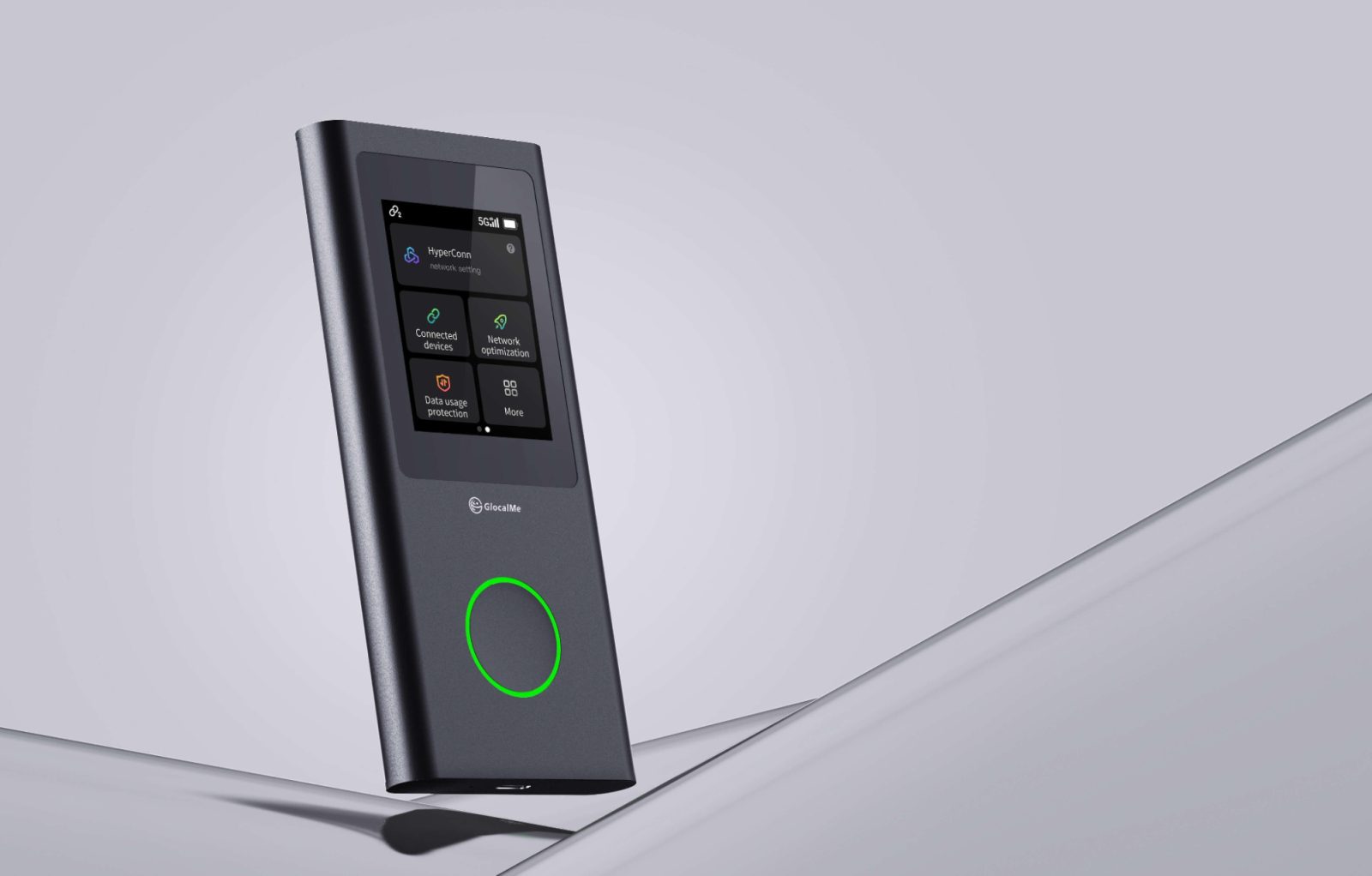
Digital connectivity is now a way of life when it comes to navigation, communication and access to cloud based services with colleagues or even when exploring new areas. However, the facilities that enable such activities are not universal. In a modern office, the broadband internet connection and the availability of several network options provides dependable service; at a campsite, a temporary worksite or a rural location, only cellular service may be available. This is one of the current challenges of modern technology: people access digital services not just via applications, but also via the networks that enable them to access the applications.
The classical connectivity models were developed for relatively stable environments. Home routers require an existing Internet connection, office networks require equipment installation, and the data plans for smartphones are often tied to a specific mobile plan. While they can be effective in many instances, when individuals and their devices travel from one place to another, these arrangements can become cumbersome. Flexible connectivity is playing a more significant role in the daily use of technology, especially in the context of remote work, field operations, temporary projects and outdoor travel.
However, it's important to assess a dedicated portable wifi device as a part of a larger connectivity system. It does not provide cell coverage where there is no network coverage and its effectiveness is based on the signal strength, capacity of the network and the type of service plan. Before counting on a hotspot for critical business tasks, organizations and individual users should review the supported bands, destination coverage, device limits, security controls and battery performance.
Why Connectivity Is Becoming More Distributed
Table of Contents
- Creating a corporate technology environment relied heavily on the presence of employees in an office environment. The single physical workplace is no longer relevant in today's world of cloud platforms, collaboration apps, remote support and distributed teams. Employees can log in from anywhere, including home, temporary offices, customer sites, transport hubs and locations with no available permanent Internet connection. This has added flexibility, leading to new demands for networking infrastructure.
- It is not restricted to corporate staffs. Technicians might need to find some documentation on equipment in the field, researchers might take digital records at temporary venues or event teams might use cloud-based systems at temporary venues. In each case the work is dependent on a connection which can carry the required application at the point of use. Organizations should thus, consider connectivity as a part of the operational planning process and not as an automatic service that is available everywhere.
- Distributed connectivity creates complexity as well. Cell coverage, network congestion, security and equipment restrictions may vary from one location to another. A solution that is effective in one area might be less effective in another. So, it is essential for technology teams to evaluate the real environment, understand the backup solutions and determine what operations are possible without interruptions to network connectivity.
- How Portable Wi-Fi Fits Into Modern Networking
- A mobile hotspot is a combination of mobile Internet connectivity and a local Wi-Fi access point. Rather than relying on each device having its own cell phone connection, the hotspot provides multiple, compatible devices with a single available connection, as supported by the equipment. This could make it easier for individuals to connect a laptop, cell phone, and tablet, or for small groups that require temporary internet access.
- This technology is especially beneficial in cases where a short-term need prevents, makes it too costly, or doesn't require a fixed broadband installation. For example, a project team working in a temporary site might require internet access for a short time, instead of a permanent network installation. Likewise, visitors might favor one connection to having to arrange their data separately for each gadget. The right choice will depend on how long the device is needed, whether there are networks available, what type of data is required and what the consequences would be of not being able to connect.
- One way to look at this challenge is to use portable networking technology. A hotspot can establish a Wifi network from a mobile connection that can be shared by compatible laptops, tablets and phones. But access via portability is not guaranteed. The capabilities of these technologies in a broader digital context continue to be relevant factors to consider, such as network coverage, bandwidth, device compatibility, power use, and data management.
- The Technical Challenges Behind Connectivity Away From Fixed Networks
- Networking technology and real-life preparation become apparent in remote environments. A field employee might need cloud documents, a technician might need to upload inspection results and a traveler might need maps or weather information. Different connectivity requirements exist for these tasks and the best strategy is to first determine which tasks can be done offline and which cannot.
- Portable wifi for camping is an example of how a mobile networking configuration can be used to aid navigation, communications, and Internet access in areas where cellular network coverage is available. The same planning rules and steps are applicable to temporary work sites: Determine coverage, know the power needs, calculate data requirements, and gather necessary information prior to entering an area where connection can be lost.
- The offline option should be included in the plan. Maps downloaded from the Internet, locally stored maps, saved contact details, and applications that do not require an internet connection can all help to minimize reliance on constant internet connections. Teams can also designate specific work that can be delayed during an outage and work that must be communicated in different ways. This is a way of thinking that acknowledges the potential of mobile networking to enhance flexibility, but not overcome the constraints of the underlying system.
- Security Considerations for Shared Mobile Connections
- Devices can move between networks, which can alter the security settings for which they operate. Access to public WiFi can be shared with numerous other users and users may have no knowledge of how the network is setup or monitored. A personal hotspot offers a better local wireless connectivity, but is not a full security tool. Security in the device configuration, security of accounts, software updates and the security of the mobile connection itself are still important.
- When organizations use mobile connections to access their company systems they must employ proper precautions. These can range from multifactor authentication, encrypted services, approved virtual private network (VPN) tools, endpoint protection, and access controls based on the sensitivity of the information. The exact measures depend on organizational policy and applications used. These controls are not supplanted by a hotspot; they are merely a means of making it possible for devices to connect to the network.
- Users also need to change the default passwords (where applicable), safeguard details that are used to access the network, and not disclose network information in an unnecessary manner. If a device is no longer required, it can be reduced to an unnecessary level of exposure by turning it off and securing it when it is not being used. When portable equipment is being deployed at several sites, documented procedures for set up can help to ensure that security practices are consistent.
- How Organizations Can Evaluate Portable Networking Solutions
- Choosing a portable connectivity solution isn't as simple as comparing product specs. The first step in a technology team determining the technology solution required should be to define how, where, for how long, and with how many devices the technology will be used. These requirements provide a practical minimum requirement for evaluating alternative network options.
- These factors should then be taken into account in the evaluation: supported mobile networks, regional compatibility, data pricing, power arrangements, security capabilities, and ongoing management. Depending on the deployment, a dedicated hotspot might be required, or it may be better suited to an existing smartphone plan, fixed wireless access or a site-specific broadband connection. The best choice is the one that provides the functionality required by the operation without adding unnecessary complexity or expense to it.
- When possible, testing should be considered as a part of the decision-making process. A short pilot can uncover reception issues, unexpected data use, battery capacity or compatibility problems before deployment is extended to larger areas. Organizations can log the level of connectivity stability, application performance and support needs to see if the solution performs in a realistic setting. This is more reliable than believing that just because you have newer hardware, you'll get better results.
- Final Thoughts
- With the growth of remote working, cloud applications and services that do not depend on location, flexible connectivity is becoming an important component of modern technology infrastructure. A portable hotspot can be a workaround to create a shared wireless network connection when fixed network connections are not available, but mobile coverage is compatible. The value is dependent upon the congruence between their needs and those of the people and systems they serve.
- The right connectivity strategy comes from the right equipment, the right expectations, data management, power planning, security measures and offline options. Whether you're connecting with a remote worker, a field service technician or a user accessing digital services while on an outdoor trip, these principles apply. A resilient technology is one that is more resilient when users envision its operation and its operations without an Internet connection.
- Frequently Asked Questions
Creating a corporate technology environment relied heavily on the presence of employees in an office environment. The single physical workplace is no longer relevant in today's world of cloud platforms, collaboration apps, remote support and distributed teams. Employees can log in from anywhere, including home, temporary offices, customer sites, transport hubs and locations with no available permanent Internet connection. This has added flexibility, leading to new demands for networking infrastructure.
It is not restricted to corporate staffs. Technicians might need to find some documentation on equipment in the field, researchers might take digital records at temporary venues or event teams might use cloud-based systems at temporary venues. In each case the work is dependent on a connection which can carry the required application at the point of use. Organizations should thus, consider connectivity as a part of the operational planning process and not as an automatic service that is available everywhere.
Distributed connectivity creates complexity as well. Cell coverage, network congestion, security and equipment restrictions may vary from one location to another. A solution that is effective in one area might be less effective in another. So, it is essential for technology teams to evaluate the real environment, understand the backup solutions and determine what operations are possible without interruptions to network connectivity.
How Portable Wi-Fi Fits Into Modern Networking
A mobile hotspot is a combination of mobile Internet connectivity and a local Wi-Fi access point. Rather than relying on each device having its own cell phone connection, the hotspot provides multiple, compatible devices with a single available connection, as supported by the equipment. This could make it easier for individuals to connect a laptop, cell phone, and tablet, or for small groups that require temporary internet access.
This technology is especially beneficial in cases where a short-term need prevents, makes it too costly, or doesn't require a fixed broadband installation. For example, a project team working in a temporary site might require internet access for a short time, instead of a permanent network installation. Likewise, visitors might favor one connection to having to arrange their data separately for each gadget. The right choice will depend on how long the device is needed, whether there are networks available, what type of data is required and what the consequences would be of not being able to connect.
One way to look at this challenge is to use portable networking technology. A hotspot can establish a Wifi network from a mobile connection that can be shared by compatible laptops, tablets and phones. But access via portability is not guaranteed. The capabilities of these technologies in a broader digital context continue to be relevant factors to consider, such as network coverage, bandwidth, device compatibility, power use, and data management.
The Technical Challenges Behind Connectivity Away From Fixed Networks
Coverage Is Different From Connection Speed
When companies talk about mobile connectivity, they generally focus on download speeds, but maximum download speed is not necessarily the only indicator of network quality. High-speed connections can work well in some areas and not so well in others. For interactive applications, the latency, packet loss, signal stability, and upload performance can be as important.
A person looking at a document or sending a short message, for instance, might only require a comparatively small bandwidth. A video conference, cloud backup, or a remote desktop session may be more susceptible to variation in wireless connectivity. Users should first determine what application(s) will be running on this network, and check that the network conditions are appropriate to this application(s).
Coverage maps and provider information can be useful for initial planning, but cannot guarantee the performance delivered at a particular building, campsite or worksite. Real world results may be affected by terrain, walls, surrounding structures, disruptions caused by weather conditions and the number of people using the system. If practical, testing is more useful than the theoretical maximum speed and should be done at the intended use site.
Power and Data Are Operational Constraints
Portable networking equipment must operate within physical limits. Unlike a fixed router connected to continuous power, a battery-powered hotspot may need to function for hours without access to an electrical outlet. The actual runtime can vary with signal strength, network activity, the number of connected devices, and other operating conditions.
Data consumption introduces another constraint. Software updates, cloud synchronization, high-resolution video, and large file transfers can use considerably more data than messaging or basic browsing. Users who share a connection across several devices may not immediately realize which application is consuming the largest portion of the allowance. Monitoring usage and configuring applications to avoid unnecessary background transfers can help prevent interruptions.
These considerations are relevant to temporary workplaces and outdoor settings alike. A technically capable hotspot may still be unsuitable if its battery cannot cover the working period or its data allowance does not match the intended workload. Evaluating operational requirements before deployment helps prevent the common mistake of selecting equipment based on specifications alone.
Connectivity Planning for Remote Work and Outdoor Environments
Networking technology and real-life preparation become apparent in remote environments. A field employee might need cloud documents, a technician might need to upload inspection results and a traveler might need maps or weather information. Different connectivity requirements exist for these tasks and the best strategy is to first determine which tasks can be done offline and which cannot.
Portable wifi for camping is an example of how a mobile networking configuration can be used to aid navigation, communications, and Internet access in areas where cellular network coverage is available. The same planning rules and steps are applicable to temporary work sites: Determine coverage, know the power needs, calculate data requirements, and gather necessary information prior to entering an area where connection can be lost.
The offline option should be included in the plan. Maps downloaded from the Internet, locally stored maps, saved contact details, and applications that do not require an internet connection can all help to minimize reliance on constant internet connections. Teams can also designate specific work that can be delayed during an outage and work that must be communicated in different ways. This is a way of thinking that acknowledges the potential of mobile networking to enhance flexibility, but not overcome the constraints of the underlying system.
Security Considerations for Shared Mobile Connections
Devices can move between networks, which can alter the security settings for which they operate. Access to public WiFi can be shared with numerous other users and users may have no knowledge of how the network is setup or monitored. A personal hotspot offers a better local wireless connectivity, but is not a full security tool. Security in the device configuration, security of accounts, software updates and the security of the mobile connection itself are still important.
When organizations use mobile connections to access their company systems they must employ proper precautions. These can range from multifactor authentication, encrypted services, approved virtual private network (VPN) tools, endpoint protection, and access controls based on the sensitivity of the information. The exact measures depend on organizational policy and applications used. These controls are not supplanted by a hotspot; they are merely a means of making it possible for devices to connect to the network.
Users also need to change the default passwords (where applicable), safeguard details that are used to access the network, and not disclose network information in an unnecessary manner. If a device is no longer required, it can be reduced to an unnecessary level of exposure by turning it off and securing it when it is not being used. When portable equipment is being deployed at several sites, documented procedures for set up can help to ensure that security practices are consistent.
How Organizations Can Evaluate Portable Networking Solutions
Choosing a portable connectivity solution isn't as simple as comparing product specs. The first step in a technology team determining the technology solution required should be to define how, where, for how long, and with how many devices the technology will be used. These requirements provide a practical minimum requirement for evaluating alternative network options.
These factors should then be taken into account in the evaluation: supported mobile networks, regional compatibility, data pricing, power arrangements, security capabilities, and ongoing management. Depending on the deployment, a dedicated hotspot might be required, or it may be better suited to an existing smartphone plan, fixed wireless access or a site-specific broadband connection. The best choice is the one that provides the functionality required by the operation without adding unnecessary complexity or expense to it.
When possible, testing should be considered as a part of the decision-making process. A short pilot can uncover reception issues, unexpected data use, battery capacity or compatibility problems before deployment is extended to larger areas. Organizations can log the level of connectivity stability, application performance and support needs to see if the solution performs in a realistic setting. This is more reliable than believing that just because you have newer hardware, you'll get better results.
Final Thoughts
With the growth of remote working, cloud applications and services that do not depend on location, flexible connectivity is becoming an important component of modern technology infrastructure. A portable hotspot can be a workaround to create a shared wireless network connection when fixed network connections are not available, but mobile coverage is compatible. The value is dependent upon the congruence between their needs and those of the people and systems they serve.
The right connectivity strategy comes from the right equipment, the right expectations, data management, power planning, security measures and offline options. Whether you're connecting with a remote worker, a field service technician or a user accessing digital services while on an outdoor trip, these principles apply. A resilient technology is one that is more resilient when users envision its operation and its operations without an Internet connection.
Frequently Asked Questions
1. What is a portable Wi-Fi hotspot?
A portable Wi-Fi hotspot is a compact networking device that uses an available mobile internet connection to create a wireless network for compatible devices. Its performance depends on network coverage, the service plan, and the equipment's specifications.
2. How is a dedicated hotspot different from a smartphone hotspot?
A smartphone can share its mobile connection with other devices, while a dedicated hotspot provides a separate device for that purpose. A dedicated unit can help preserve the phone's battery for other activities, although the better choice depends on usage, cost, and connectivity requirements.
3. Can portable Wi-Fi provide internet access in every remote location?
No. Cellular hotspots require a compatible mobile network and adequate reception. Areas without available cellular service may require other communication technologies, and users should verify the capabilities of any alternative before depending on it.
4. What factors affect hotspot performance?
Important factors include signal strength, network congestion, supported network technologies, the number of connected devices, data-plan limitations, and the applications being used. Maximum advertised speed does not guarantee consistent real-world performance.
5. Is a personal hotspot secure enough for work?
It can offer a more controlled connection than an unfamiliar public Wi-Fi network, but it does not replace security measures such as strong authentication, encrypted applications, software updates, and organizational access policies.
6. How can teams prepare for connectivity interruptions?
Teams can identify backup communication methods, download essential files, use offline-capable applications, monitor data consumption, and define which tasks can be delayed during an outage. Testing equipment at the intended location can also reveal problems before deployment.