
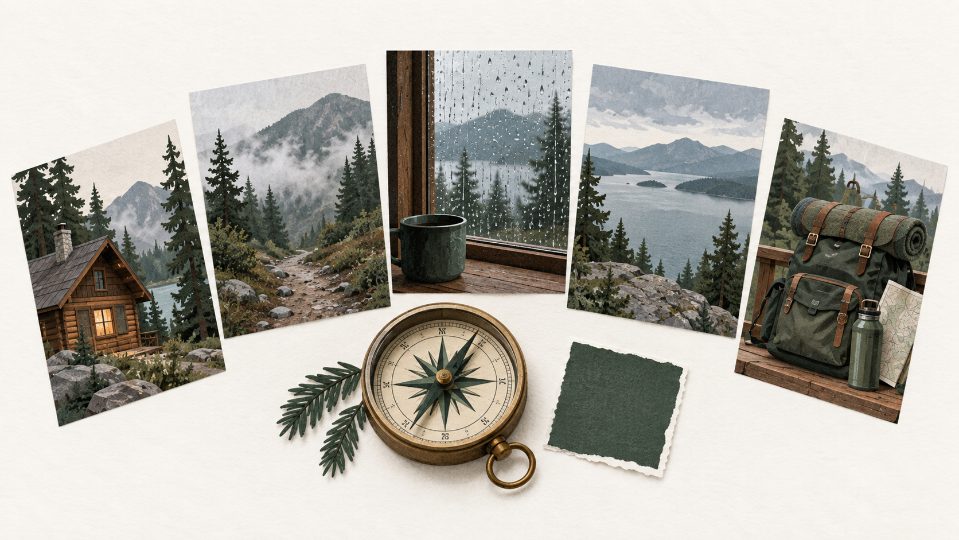
A weekend in the woods rarely produces a tidy visual set. The first photo may come from a bright phone camera, the next from a dim cabin, and the last from a lookout where the sky overwhelms everything else. Put those frames together and the trip can look like three unrelated journeys. The problem is not a lack of attractive images. It is the absence of a few rules that survive from frame to frame.
A reference-led image workflow is useful here because the work can begin with a reference instead of a blank prompt. Kimg AI offers both text-to-image and image-to-image routes, so a creator can ask to preserve an approved photo's palette, object shape, or composition while requesting a controlled variation. Preservation still needs visual review. The sensible goal is not to make every shot identical. It is to make the set feel as though one editor made consistent decisions.
Table of Contents
Choose Three Details That Must Not Drift
Start by naming the parts of the trip that make the series recognizable. For a cabin story, those might be the warm brown siding, a faded green backpack, and the muted light of an overcast morning. Those are visual anchors. Weather, camera distance, and the surrounding activity can change. When the prompt does not separate anchors from variables, an image model has to guess which details matter, and that guess often changes across frames.
Give Every Reference One Specific Job
An uploaded image should have a declared role. One reference can preserve the cabin shape, another can guide the color palette, and a third can establish the framing. Do not ask all three to control everything. Kimg AI's image-to-image route is easier to judge when each source has a clear purpose. A useful instruction sounds like a production note: keep the roofline and backpack design, borrow only the misty color treatment, and move the viewpoint to the trail entrance.
Write Protected Details Before New Details
When using Banana AI, put the invariants near the front of the prompt, then describe the change. This gives the review a clean question: did the scene move without the identity anchors moving with it? A request such as “keep the same olive backpack and timber cabin; change only the viewpoint to a low angle after rain” is more testable than a long list of atmospheric adjectives. It also makes a failed result easier to correct.
Separate truthful trip records from illustrative extensions as well. An edited cabin photo can work as a chapter opener or mood image, but it should not be presented as an untouched record of the weather or trail. Keeping that label clear lets the visual series stay imaginative without asking it to carry documentary weight.
|
Series element |
Keep fixed |
Change deliberately |
Reject when |
|
Cabin |
Roofline and siding color |
Distance and weather |
Windows or proportions change |
|
Backpack |
Shape and olive fabric |
Position in frame |
Straps or pockets multiply |
|
Light |
Muted natural palette |
Morning or late afternoon |
Unmotivated studio glow appears |
This table is not a prompt template. It is the acceptance sheet used after generation. A series can tolerate a brighter sky in one frame. It cannot tolerate the signature object turning into a different product each time.
Use Three Steps To Change One Scene Variable
Large prompt rewrites hide the cause of drift. Change the location, weather, wardrobe, lens, and color grade at once, and an attractive result tells you very little about which instruction worked. A controlled sequence moves one variable at a time. First test the viewpoint. Once the cabin and backpack survive, test rain. Only then consider a more distant composition.
Use One Output Before Requesting Four
The generation workspace can return one to four images. Four options are useful during exploration, but they also create four different bundles of compromises. Begin with one output while the visual contract is still being written. Once the protected details hold, increase the number to compare compositions. That order turns variety into a deliberate choice instead of a pile of unrelated candidates.
Correct One Failure Without Rewriting Success
If the backpack is right but the cabin changes, say exactly that. Preserve the backpack, pose, framing, and light; restore the original roofline and window count. The Nano Banana workflow described on the site recommends focused corrections instead of replacing the whole brief. That is also good editorial practice. A small correction gives the next review a clear pass or fail signal.
Save the strongest frame and its working prompt before moving on. Kimg AI includes an asset library, which makes it practical to keep an approved reference close to later variations. Naming files by scene and revision is still worth doing outside the generator. The model can help produce images; it should not become the only record of which frame the team approved.
When a later frame fails, compare it with the last approved image rather than with the entire set. That shortens the diagnostic path. The editor can point to one changed object, one lighting inconsistency, or one composition problem and decide whether a focused correction is worth another round.
Run The Same Three Checks On Every Frame
“The colors feel close” is too loose for a series review. Put every frame through thumbnail, normal reading, and close views. The thumbnail reveals silhouette and palette. Normal size shows whether the scene reads quickly. Close view catches extra straps, broken fingers on a distant figure, melted labels, and edges that look convincing only from far away.
Check Identity Geometry And Light In Order
First compare the protected object shapes with the approved reference. Next check spatial logic: doors, windows, shadows, reflections, and the direction of rain. Last, compare color and light. This order matters because a pleasant grade can distract from changed geometry. Nano Banana can support reference-led editing, but it does not remove the editor's responsibility to notice a different roof or an implausible shadow.
Keep A Frame Only When It Adds Information
Five consistent images are not automatically better than three. Each frame should reveal a new part of the trip: arrival, shelter, route, weather, or departure. If two pictures perform the same narrative job, keep the cleaner one. This protects the series from repetition and reduces the temptation to accept a weak generation simply because it took time or credits to produce.
A Small Visual Contract Beats A Giant Prompt
Kimg AI fits travel editors who already have one or two useful photos and want to extend them into a coherent set without rebuilding every frame manually. It is less suitable when the images must serve as documentary proof of a precise event; generated additions should never be presented as evidence.
Choose three protected details and give each reference one job. Then change one variable and reject any frame that breaks the contract. That discipline does more for continuity than a paragraph of style words, while leaving the final series recognizably tied to the trip that inspired it.