
In today's day and age, it's possible to attract people to your food in mere seconds with a great video. The visual richness, colors, and organic moves entice viewers to watch on. Pippit helps creators to create realistic food scenes, cinematic movement, polished lighting, and seamless storytelling. With careful planning, creative editing, and consistent presentation, ordinary cooking videos can be transformed into extraordinary visual experiences, leading to increased engagement and audience retention.
Table of Contents
- What Makes a Food Video Truly Immersive
- Plan a Food Video That Keeps Viewers Watching
- Steps to Create Immersive Food Videos That Hook Audience with Seedance 2.5
- Use Seedance 2.5 Features to Enhance Food Visuals
- Prompting Techniques for Mouth-Watering Food Videos
- Improve Viewer Engagement Through Visual Refinements
- Adapt Food Videos for Different Publishing Channels
- Avoid Common Issues in AI Food Video Creation
- Conclusion
What Makes a Food Video Truly Immersive
An immersive food video has a realistic look, emotional storytelling, and thoughtful composition. Fresh produce should be naturally colored, crisp, and have good surface characteristics, signifying quality at a glance. Each step of the cooking process should be part of a simple story that takes the viewer from preparation to serving. Lighting should show texture but not create any harsh shadows, and motion should be smooth. Even dishes are balanced in framing to focus on all the ingredients and final product. When the camera moves around, it's controlled to create realism and visual consistency for each of the connected scenes.
Plan a Food Video That Keeps Viewers Watching
Good food videos have a structure that keeps viewers curious throughout the video. Use a hook that grabs the reader's attention and leads them into the featured food or food ingredient. Then move on to preparing, cooking, and plating in a logical sequence with the AI video generator within Pippit's workflow. All transitions have to facilitate smooth storytelling and not distract viewers. Conduct a memorable serving scene that showcases the final product and gives a visual impact of the finished meal.
Steps to Create Immersive Food Videos That Hook Audience with Seedance 2.5
Step 1: Build your food video concept
- Sign up for Pippit using your Google, TikTok, or Facebook account information.
- Navigate to the "More" tab on the left vertical menu bar and open "Video generator".
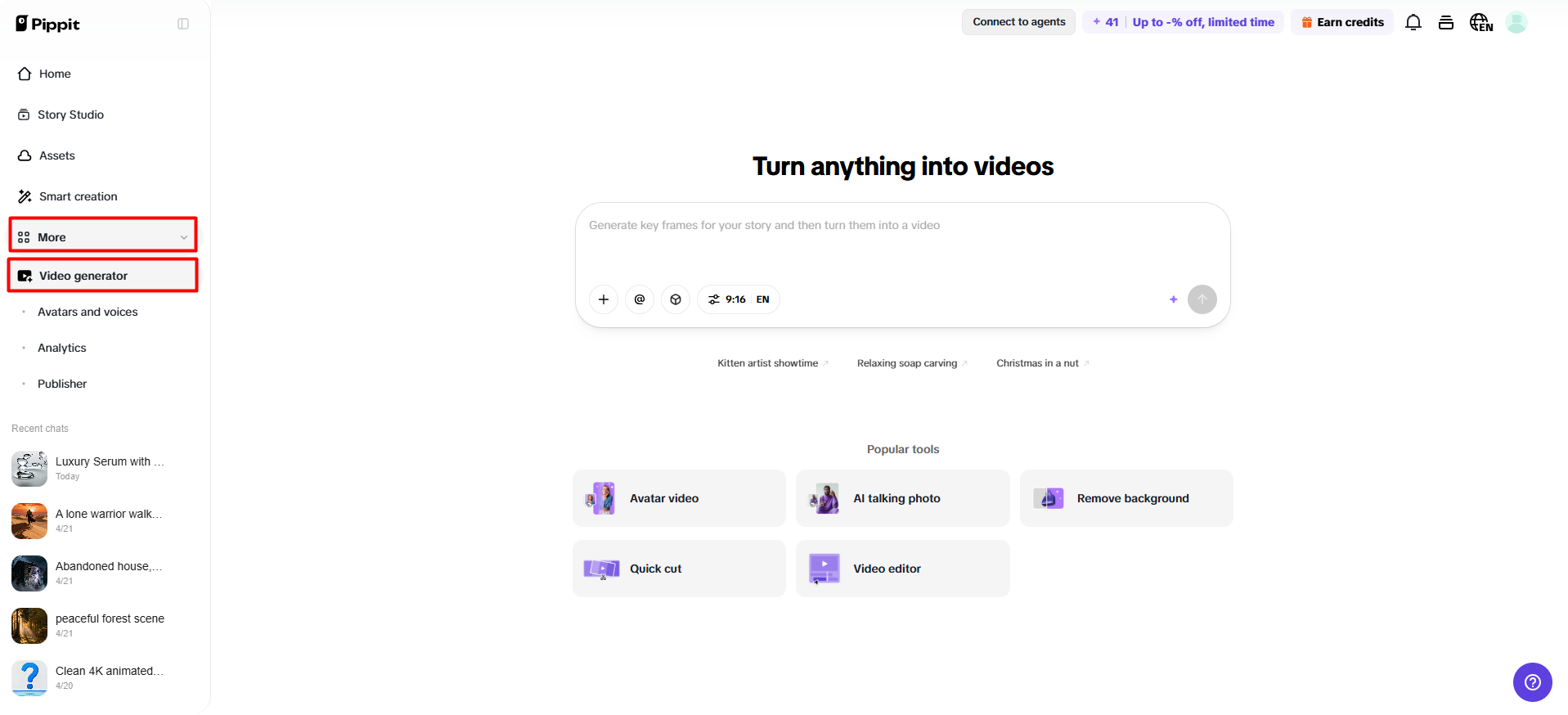
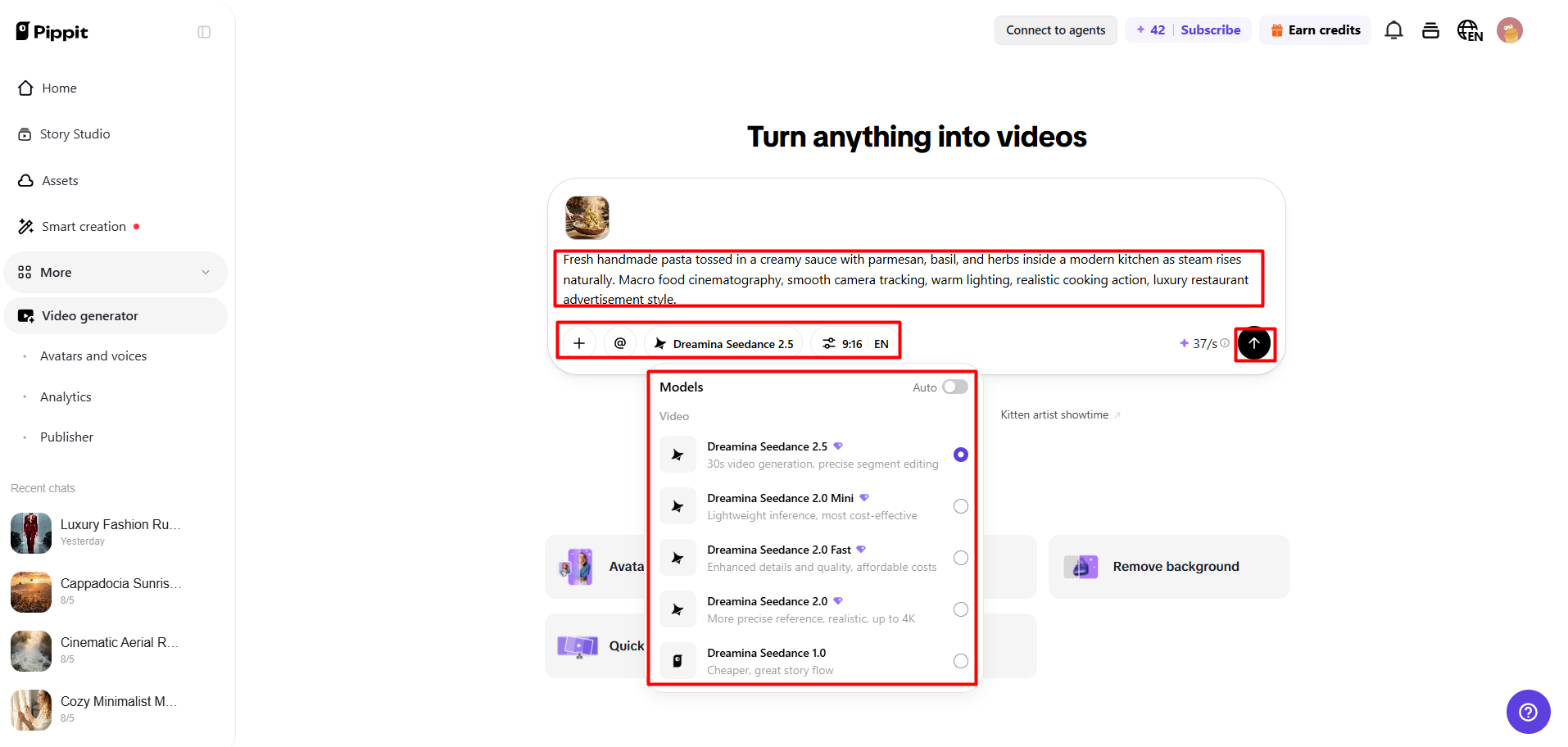
- Select "Dreamina Seedance 2.5" as your AI model.
- Enter a detailed text prompt describing food visuals, camera angles, textures, and movements.
- Choose video length, language, subtitles, and aspect ratio.
- Click "+" to upload food images, clips, or references from your device, phone, Dropbox, or a link. You can also select assets if you do not have reference media.
- Click "Generate" to create your food video.
Step 2: Generate the food video
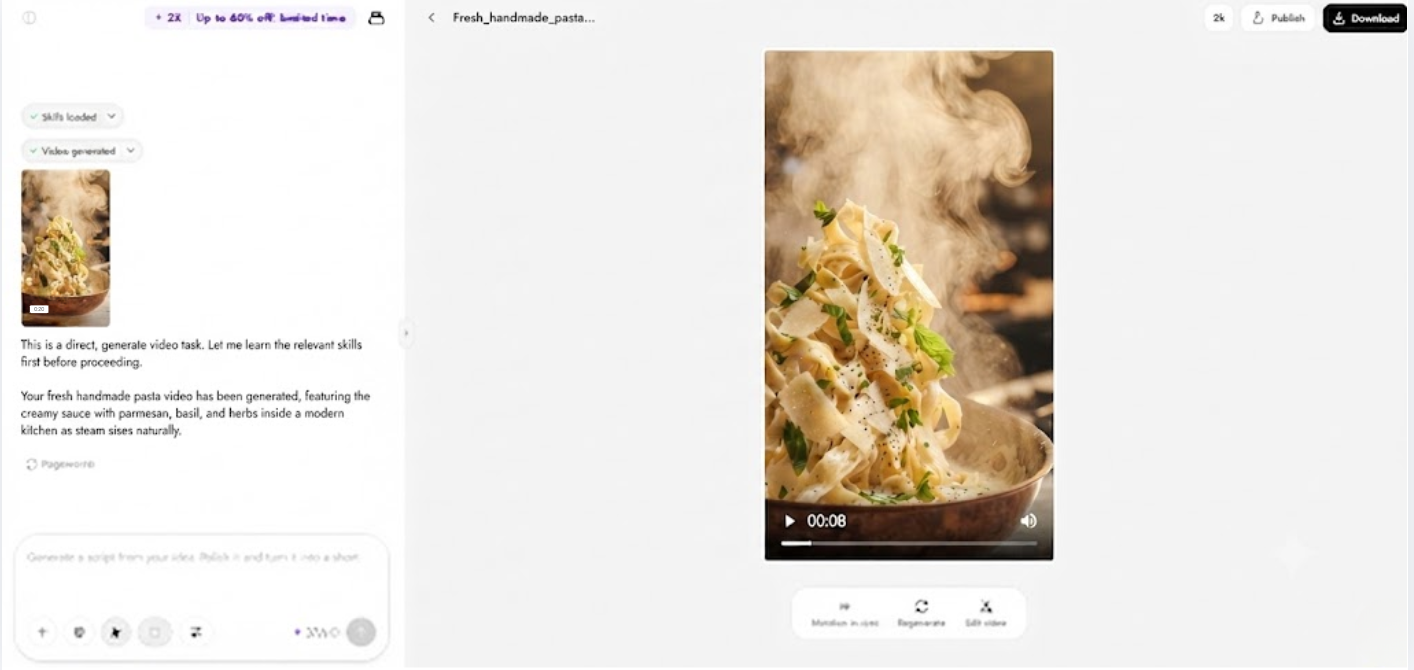
- After clicking "Generate", Pippit's AI video generator automatically creates a video based on your prompt and reference media.
- The AI handles transitions, pacing, captions, avatars, voice, lyrics, and visual enhancements.
- You will receive a video draft to review.
Step 3: Edit and export
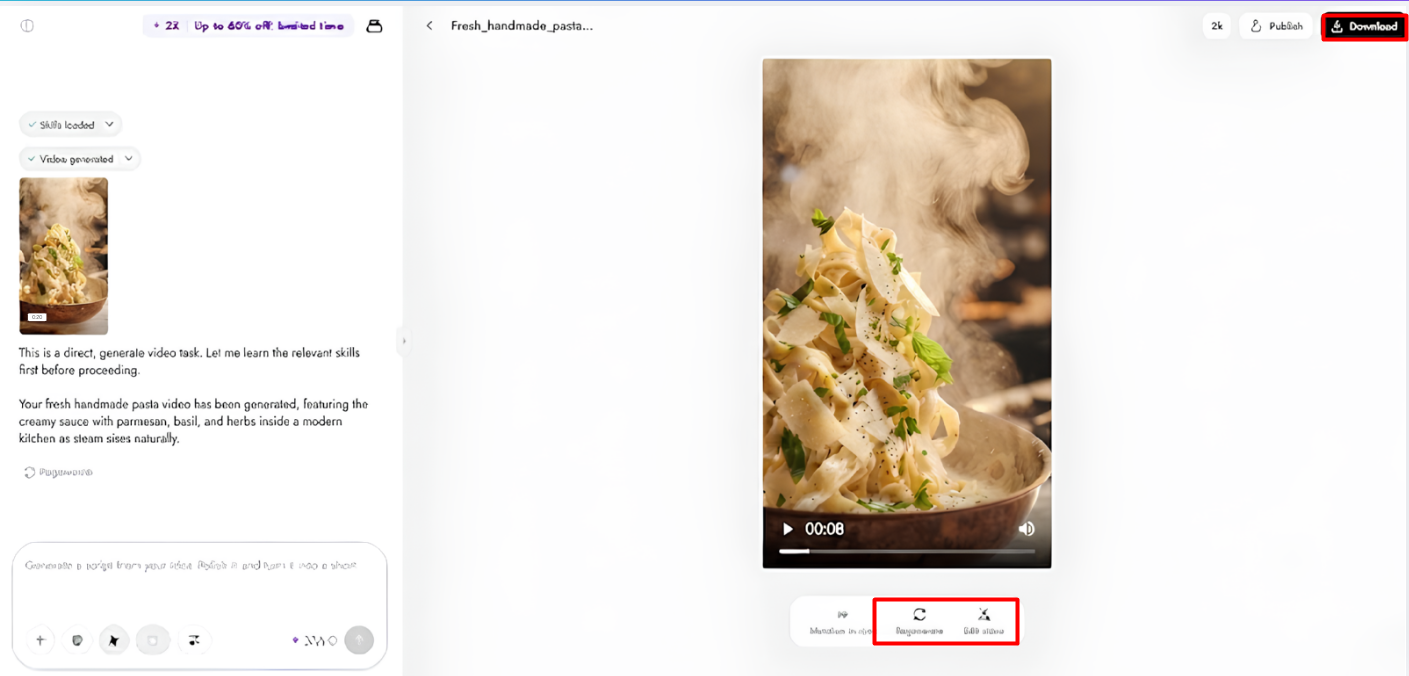
- Click the "Download" tab in the top right corner to save the video. You can also click "Regenerate" or choose "Edit more" below the video for customization.
- Adjust captions, add text, and modify size, color, alignment, filters, and effects.
- Add background music, remove backgrounds, and enhance visuals.
- Click "Export" in the top right corner.
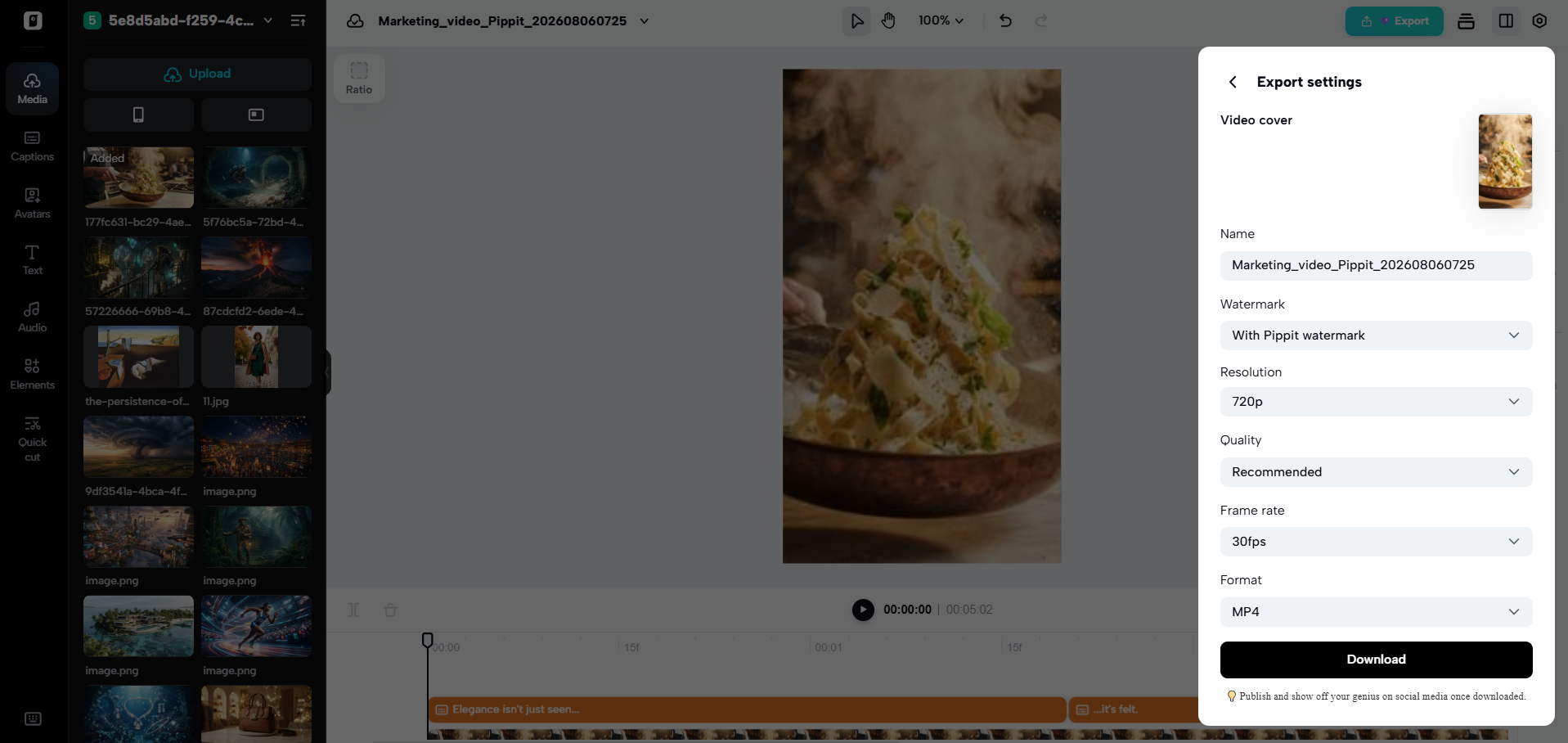
- Select "Publish" to share on TikTok, Instagram, or Facebook, or click "Download" to save with your preferred format, resolution, frame rate, and quality.
Use Seedance 2.5 Features to Enhance Food Visuals
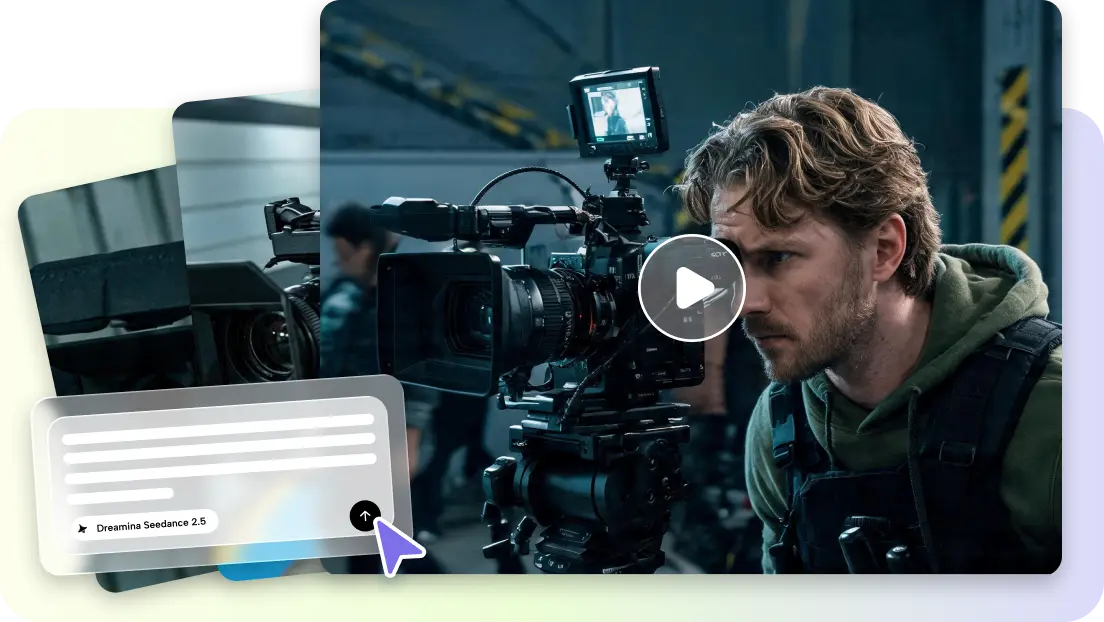
Pippit offers top-tier creative controls to present food better and help ensure realistic visual continuity. The Seedance 2.5 version delivers detailed textures, realistic lighting, and smooth camera motion around dishes for film-style effects. To ensure ingredients are consistent in appearance, plating, and style throughout scenes that are connected via images. Natural movement and a controlled sequence of scenes are used to provide a visual connection between continuous cooking or serving sequences. Longer footage options allow for longer storytelling while maintaining continuity, making the complete food demonstrations feel polished and interesting.
Prompting Techniques for Mouth-Watering Food Videos
The quality of the prompts is good, with clear creative direction and visual consistency across all generated scenes. Before beginning each project, think about these practical techniques:
- Use colours, textures, freshness, and appearance to describe ingredients.
- Demonstrate cooking activities in sequence.
- Indicate lighting that accentuates clear textures and natural food details.
- Discuss camera angles for visual presentation in film.
- Conduct an appealing close with a garnish or a direction for serving.
- Coordinate the ambiance and the food or experience showcased.
Improve Viewer Engagement Through Visual Refinements
The last touches can make or break an audience's interaction and satisfaction with the viewing experience. Captions help with accessibility and enable viewers to follow along with recipes without having to listen to the entire video. Medium colour changes enhance a natural look rather than saturation. Background replacement is the process of replacing the background of a recording with a different one, without the need to re-record the track. It is important to choose background music that matches the rhythm of cooking, the mood, and the method of presentation without overpowering the important visual moments. Each adjustment should help the realism and maintain the quality throughout the video.
Adapt Food Videos for Different Publishing Channels
Each publishing platform will need a different type of formatting to get the best look. Videos that are shot vertically are ideal for short-form platforms as they take up more mobile screen real estate and drive higher engagement. Landscape is ideal for websites, presentations, and larger screens where a wider frame helps to tell a story. Square videos are still effective on feed-based platforms, as these types of videos work well on both desktop and mobile. The multilingual prompt support enables creators to plan and create localized content for regional audiences while ensuring a consistent and familiar look and feel of the content across markets.
Avoid Common Issues in AI Food Video Creation
Typical mistakes in production make things less realistic and affect viewers. Too specific prompting can involve conflicting instructions, which can make it difficult to create the scene and maintain consistency. When preparing or serving, sudden camera movement fails to captivate the audience and disrupts the visual storytelling. Final edits may not be finished, resulting in minor captioning, color, or timing issues. Always inspect the footage exported before posting, and the quality, transitions, and presentation should be the same for all the scenes. Thorough checking ensures standards of professionalism and reinforces audience trust.
Conclusion
The secret to making great food videos is to use real photos, a compelling narrative, meticulous video editing and careful planning. Pippit provides adaptable creative tools for every stage of production, to make visual refinements and consistent presentation simple. Each scene of cooking is enhanced by clear prompts, balanced composition, natural lighting and polished finishing details. If you take the time to do so before you export, each completed video will be an interesting experience to watch on the different platforms you're publishing to, and it will still look professional.