
By Pratik Shah, Creative Head, PrintXpand. Disclosure: PrintXpand sells uniform design software.
A school with 600 students doesn’t place one uniform order. It places 600 small ones, usually in the same three weeks.
Businesses face a quieter version of the same thing. A company with 80 staff, a few locations, and steady hiring is really running a stream of tiny orders that all have to look identical. Nobody planned it that way. The uniform got approved once, and everything after that has been improvisation.
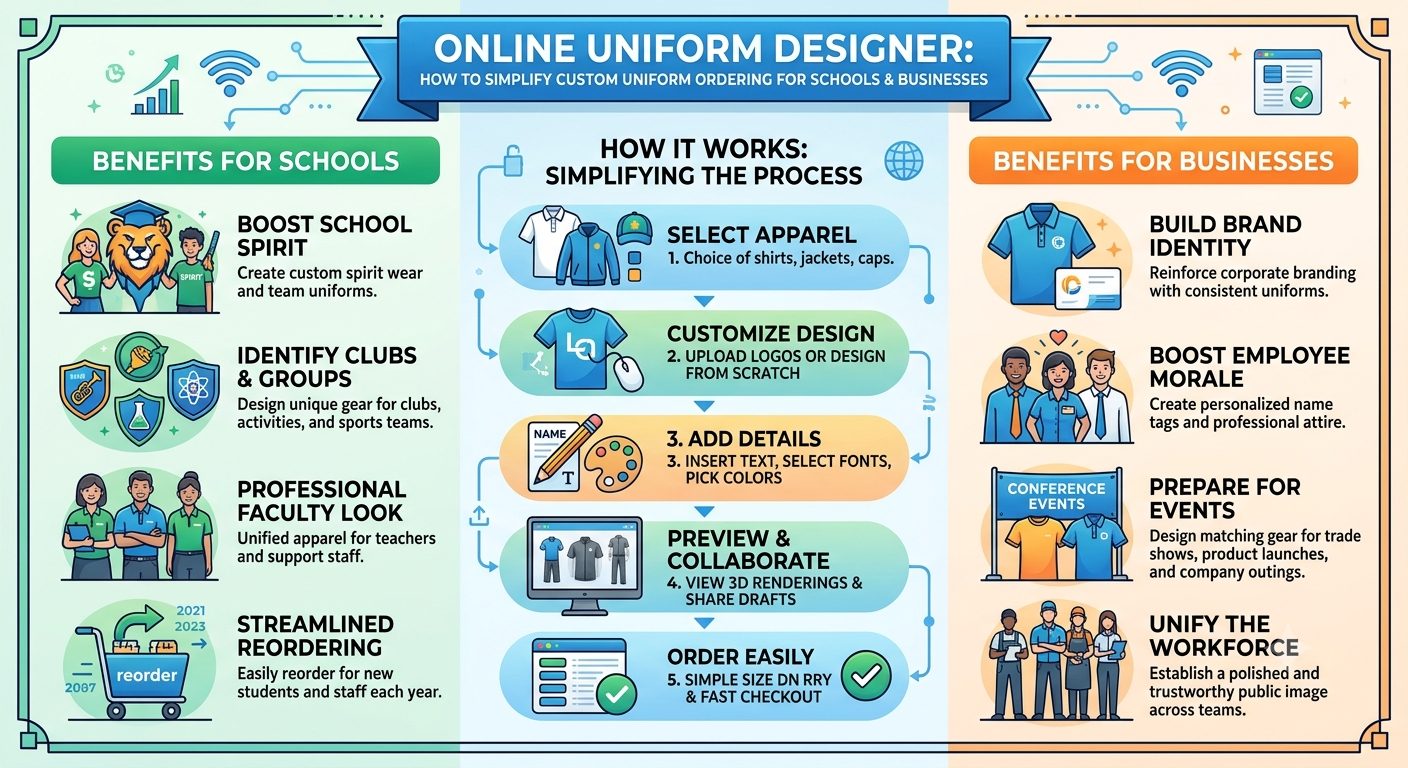
That’s the real problem an online uniform designer is meant to solve. The name suggests it’s about design. For schools and businesses, it’s mostly about ordering: who buys, in what size, from which approved items, and how to repeat it next year without starting over.
Table of Contents
The buyer isn’t who you’d expect
With a typical custom print job, one person decides, and one person pays. Uniforms rarely work like that.
At a school, the people ordering are parents, and each one orders for a single child. They’ve never seen the supplier’s catalog. They want the right item in the right size, delivered before term starts. Not a design tool.
At a business, the person who needs the uniform is the employee, but someone else approved the look, and someone else pays. So, there are two jobs here: set the standard once, then let many people order against it.
Most trouble comes from mixing those up. A tool that hands every buyer a blank canvas fails both groups.
Fix the design, then open the ordering
The better approach is to treat the design as settled. The school or company approves the crest, colors, and logo positions once, with the supplier’s help. After that, buyers only choose from what’s been approved.
Merch.com calls this a spec sheet: “a locked-down definition of every approved uniform item,” which keeps the look consistent across reorders. That sounds dry, but it’s the most useful idea in uniform buying. When the logo can’t move, nobody has to check whether it moved.
An online uniform designer puts that into practice with templates. The buyer picks a garment and a size. The crest and colors are already in place. Because everything on offer is pre-approved, no mockup has to be signed off for each order.
Sizing: the honest weak spot
Ask anyone who’s run a uniform shop where mistakes come from, and sizing comes first.
For schools, it’s worse because children grow. A parent ordering in August for a child who’ll wear it until June is guessing. A good tool helps by keeping a size guide next to each garment, remembering what the family ordered last year, and making an exchange clear before checkout.
For businesses, the fix is a stored size profile. Merch.com defines it as “a stored record of each employee’s apparel sizes so reorders and replacements ship without re-asking”. A new hire gets measured once. Every replacement after that is a click.
But there’s a limit software can’t cross. A medium from one garment maker isn’t a medium from another, and no roster fixes that. For a new program, a sample set of sizes for people to try on is still worth the time. The tool makes sizing easier to collect. It doesn’t make it correct.
Let people order for themselves
One mistake keeps showing up in uniform programs: someone in HR or the school office collects everyone’s sizes, forecasts the total, and places one bulk order.
Lands’ End, writing about growing uniform programs in 2025, describes what happens without a central system: “Some locations over-order, others run out, and employees end up wearing mismatched apparel”. The alternative it describes is a portal where staff order approved uniforms directly, in a full range of sizes.
That model works for schools too, with a twist. The school sets the catalog and the dates. Parents order for their own child. Nobody at the office types a spreadsheet.
Does that remove the supplier’s role? No. It moves the work. Someone still has to set up the catalog, check stock, and handle the odd exchange. But it moves the hours from retyping to the exception cases that need a person.
Different roles, different items
Uniforms aren’t one-size-fits-all in another sense, too. A school has year groups, sports kit and a winter jacket. A restaurant has kitchen and front-of-house. A clinic has clinical and reception.
Role-based catalogs deal with that by showing each person only what they’re meant to buy.
Lands’ End suggests distinct looks for management, customer service, and back-of-house staff. The tool does the filtering, so nobody orders the wrong jacket by mistake.
Replacements are part of the plan
A uniform program doesn’t end with the first order. Pieces wear out, children outgrow them, and people join mid-year.
Merch.com notes that replacement cycles are typically annual or biannual, and matter most for safety, hygiene, or customer-facing roles. Whether you go by the calendar or by need, the point is the same: you’ll be placing these small orders for years.
So, ask whether the tool saves past orders with their full configuration. A reorder for a new student or hire should take a size and a checkout. If it takes a fresh quote, the system is only half built.
When you don’t need one
Not every group needs this. A small club ordering a dozen shirts a year can probably manage with a shared spreadsheet and a phone call. And the first decisions about a new uniform, such as fabric and decoration method, are better made in a conversation than on a screen.
The software starts to pay off when the same approved design is ordered by many different people, again and again.
Conclusion
Custom uniform ordering gets complicated because of the people involved: hundreds of parents, dozens of employees, and a supplier trying to get each size right. An online uniform designer simplifies it by locking the approved design and letting each buyer order only what applies to them.
At PrintXpand, our uniform design software works from locked templates by department and saves past orders so reorders don’t start from scratch. If you’re comparing options, don’t judge a tool by its design editor. Place a test order for a new student, or a new hire at a second site, and count the steps.
About the Author
Pratik Shah is Creative Head at PrintXpand, a cloud and on-premise web-to-print and print automation platform serving 350+ print businesses across 40+ countries. He works with apparel decorators and uniform suppliers on the online tools their customers use to design and order. Learn more at printxpand.com.