
The cabin's new promotional clip looks inviting: a fire glows beside the sofa, a covered porch overlooks the woods, and steam rises from an outdoor tub. The actual property has none of those features. A mood exercise has quietly become a different place to stay. Guests seeing the clip may reasonably expect the comforts it shows, regardless of what the host intended.
Using an AI Video Generator for lodging promotion calls for a close comparison with the property itself. Atmosphere can change through light and restrained movement, but the visible facilities should remain tied to what guests will actually find. An appealing addition is still an addition.
MakeShot supports image-to-video as well as text-to-video creation. A host can explore motion from an authorized property image, then inspect the output against that source. The source offers a starting point; it does not guarantee that every object, opening, and exterior detail will remain accurate.
The practical choice is between several visual routes: actual recorded footage, a moving treatment based on a real image, or a clearly fictional mood illustration. Each can serve a purpose. They should not be presented as interchangeable records of the accommodation.
Table of Contents
Build The Visual Brief From The Actual Property
Start with a current photograph that shows the area you want to promote. Check that it still matches the property: furniture may have moved, a chair may have been replaced, or a seasonal feature may no longer be available. A generated clip can preserve an outdated photograph convincingly, so the source needs review before the motion does.
List the visible features that a guest could treat as amenities. For a porch, that might include seating, a roof, railings, lighting, and the view beyond it. For an interior, it could include a fireplace, cooking equipment, workspace, or sleeping arrangement. Those details have more practical significance than a vague impression of coziness.
Decide what movement is consistent with the source. A light curtain shifting or nearby leaves moving may establish a quiet atmosphere without changing the property's layout. A camera move that reveals an unseen room asks the generation process to invent space. Unless that space can be verified, choose a view that stays within the documented area.
In MakeShot, describe the intended motion and the features that should remain as shown. Keep the first candidate modest. A prompt that adds luxury, expansive views, and cinematic architecture can push the scene away from the actual accommodation even if those words were intended only as stylistic direction.
Set aside a clean copy of the source photograph for comparison. Do not rely on memory of the room when judging a polished result. Familiarity can make small additions easy to overlook, especially when they fit the general style of the property.
Choose A Route That Matches The Clip's Purpose
Actual footage is the straightforward choice when the purpose is to show a room, access route, or facility as it exists. It can demonstrate relationships between spaces that a single image cannot establish. It still needs accurate editing and a current source, but it records the place being offered.
An image-based generated treatment may be suitable for a small atmospheric moment when the visible details survive review. Keep the camera and action restrained enough that the source remains a useful reference. If the scene repeatedly invents architecture or furniture, use the still photograph or record a short real clip instead.
A fictional cabin illustration belongs in a clearly conceptual context, such as an article about a general woodland mood. It should not appear as an unlabeled tour of a specific rental. The more closely it sits beside a booking invitation or property name, the more likely viewers are to read it as a representation of that place.
An AI Video Generator can support the second or third route, but the host still decides what the image is claiming in context. A caption calling a clip atmospheric does not make a prominently depicted hot tub disappear from a viewer's expectations.
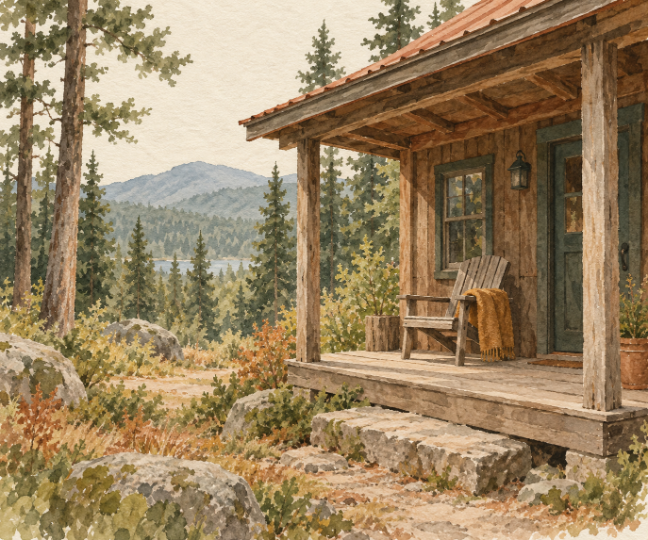
Choose the route before investing in visual polish. If the needed message is “this is the path from the parking area to the door,” real footage is usually the clearer source. If the message is a quiet seasonal introduction using a verified porch image, a restrained treatment may be worth exploring. The woodland illustration accompanying this article is a fictional mood example, not a photograph of an available rental.
Compare Every Visible Amenity With The Source
Place the source beside the generated candidate and examine the scene from one side to the other. Check openings, surfaces, furniture, fixtures, and background features. Then watch the whole clip to see whether details appear or disappear as the motion develops. Accuracy in the first frame does not establish accuracy throughout.
For the porch example, count the seats and check the roofline. A newly covered area suggests shelter that may not exist. A wider railing gap could change the impression of the space. A distant lake can be particularly consequential if the real view is woodland. Treat those changes as reasons to reject or revise the output.
Review seasonal implications too. Snow, flowers, or a glowing fire can suggest a time of year or an available feature. Confirm that the intended presentation matches the actual offer. If the clip is purely seasonal decoration, keep that role clear and avoid introducing facilities to create the mood.
Look for movement that implies usability. A door opening into an invented room, lights switching on where no fixtures exist, or a fire burning in a decorative recess can make the scene claim more than a still image would. Check the action as well as the objects.
Use the final crop and caption layout for a second pass. Cropping can remove a qualifying visual detail or make a fictional background seem more prominent. The version approved for publication should be the version reviewed against the source, not a later edit assembled from unchecked alternatives.
Image guidance has limits. If correcting one feature repeatedly changes another, stop treating the candidate as a reliable property representation. The available still or a newly recorded shot may be both simpler and more accurate. A promotional deadline is a reason to use the dependable source.
Keep The Invitation Consistent With The Stay
MakeShot can help explore a quiet visual treatment, but the final clip should remain consistent with the listing's photographs and description. Before publishing, have someone familiar with the property compare the candidate with what a guest would encounter on arrival.
Keep the approved source and final clip together so a later seasonal revision starts from verified material. If an amenity changes, update the affected visuals along with the listing. A previously accurate image can become misleading through age even when no new generation is involved.
A chair on a real porch, a modest blanket, and the actual woodland view can make a sufficient invitation. The atmosphere should encourage interest in that stay. When the video needs an invented fireplace or a nonexistent tub to feel appealing, return to a visual story the property can fulfill.